Community Casefiles for Discord servers
Launch asynchronous fictional mysteries in your server. Members follow Stage Cards, examine clues, vote on the next lead, and solve cases together without live event scheduling or voice lobbies.

All evidence in this Casefile is fictional. CLNR does not read message content.
📍 Setting
A fictional photography studio creating a staged landscape image for a lighting workshop.
📁 Case brief
A test photograph shows two bright sun-like discs in the sky area even though the set uses only one circular key light. The camera and backdrop are intact. Determine where the second disc came from.
🔎 Evidence so far
- Initial Observation: The second bright disc appears in the same place across several test frames, but its edges are softer than the main light.
- Plausible Alternative: A power cable disappears behind the lower edge of the translucent sky backdrop.
- Key Record: The capture metadata records two exposures inside each affected image file.
- Independent Cross-Check: A single-exposure test with the same lighting produces only one disc.
- Early Lead: The camera menu shows a multiple-exposure icon that is easy to overlook at small size.
🧩 Investigation starts here
Which evidence should anchor the reconstruction?
1. Anchor on the key record: Reconstruct the event around the strongest recorded clue.
2. Challenge the decoys: Test whether the strongest alternative clues really fit together.
3. Anchor on the cross-check: Use the independent cross-check to rebuild the sequence.
🗳️ Vote with the buttons below. Progress unlocks at 4 member votes, or by time fallback.
⏱️ Time fallback: CLNR will continue the case after Wednesday, 7. October 2026 at 18:02 if the vote target is not reached.
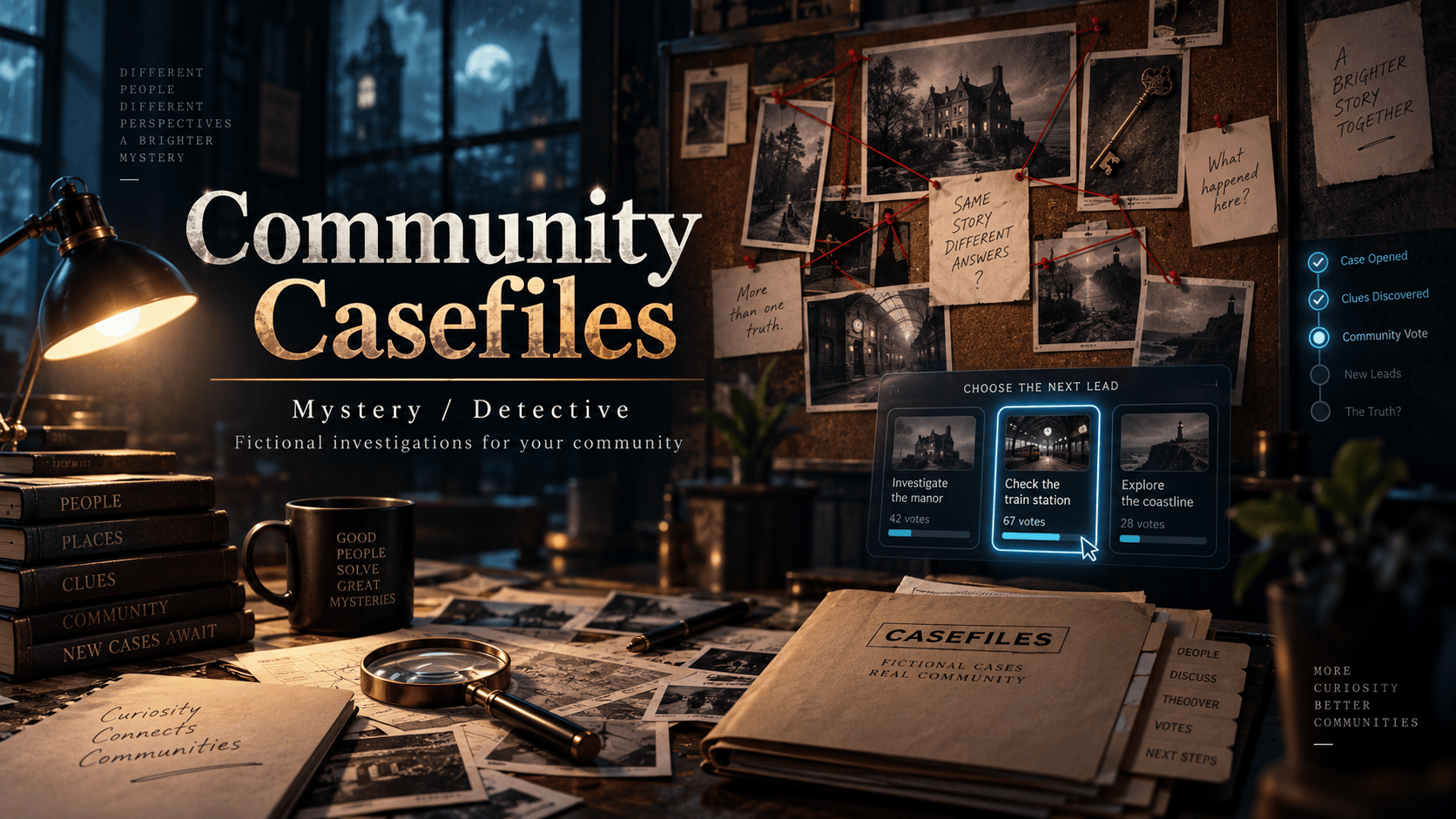
How Community Casefiles Work
Casefiles unfold gradually in member-facing channels without requiring members to join a live lobby. Admins control setup, scheduling, and recovery.
Fictional Stage Cards
Each mystery unfolds through structured Stage Cards featuring rich fictional lore, evidence tallies, and branching investigation paths.
Member Lead Voting
Members tap single-choice buttons to vote on which clue or location to examine next. Members can participate at their own pace alongside regular activity.
Final Conclusion Stage
Once enough clues are unlocked, members cast their final vote on the mystery's conclusion. Reveals can be correct, plausibly wrong, or time out without a solved outcome.
No Live Lobby Required
No need to organize voice events or force synchronized play. Try Border Challenge for another cooperative activity. Combine Casefiles with Polls & Quizzes and Community Check-ins for balanced server engagement.
Conservative Pacing & Human Activity Fallbacks
New cases snapshot a vote target based on pacing and available server activity context. Time fallbacks can prepare a new stage; zero-vote stages wait for eligible human activity or admin resume before continuing.
Activity-Aware Vote Targets
Vote targets use estimated server size, tracked-member count, and recent tracked activity. Relaxed pacing uses 1-4 votes with a 36-hour fallback; Standard uses 2-8 with 24 hours; Fast uses 2-6 with 12 hours.
Time-Based Stage Fallbacks
If the vote target is not reached, a time fallback prepares the next stage. When nobody has voted, eligible human activity or admin resume is needed to publish it.
Human Activity Safeguard
If nobody participates, CLNR pauses and waits for genuine human activity or an explicit admin resume command instead of posting solitary bot updates.
Schedule & Channel Controls
Fine-tune when and where Casefiles run using simple slash commands.
/casefile schedule
Choose Manual, Scheduled, or Active Hours starts. Active Hours derives the busiest UTC hour from recent member activity, falling back to 08:00-22:00 UTC when activity signal is insufficient.
/casefile channels
Designate which active text channels can "wake" pending case progression when human activity resumes after a quiet interval.
/casefile start
Admins can start a random mystery or pick from available theme pack options tailored to their server's atmosphere.
Fictional, Member-Safe & Privacy-First
Community Casefiles are built strictly for entertainment and engagement. They carry absolute boundaries regarding member privacy and server safety.
100% Fictional Evidence
All plot lines, clues, artifacts, and suspects are completely fictional. CLNR never uses real server members as suspects or culprits.
No Message Surveillance
CLNR never scans, reads, or parses member message content to construct mysteries or trigger case updates.
Zero Unfair Score Advantage
Voting follows your server’s normal interaction activity settings, with no special score bonuses. Review your Discord Decay Score setup for activity-source controls.
Standard Mode Requirement
Casefiles require Standard Mode; active cases are suspended when the server switches to Ghost Mode, preserving silent operation whenever Ghost Mode is engaged.
Command Reference & Case Controls
Click any command chip below to copy it directly to your clipboard for Discord. Explore full syntax in our Commands directory.
Start Active Casefile
Admin: launches one active Casefile per server in your chosen channel. Optionally specify a known Casefile ID or theme pack.
Inspect Case Progress
Anyone can view the current or most recent case, participants, evidence, conclusion, theme-pack library, and scheduling or fallback context, with a latest-card button.
Configure Channel Bindings
Admin: choose whether only the case channel or selected member-facing channels can wake ready case progression. Set the posting channel when starting or scheduling a case.
Pacing & Active Hours
Admin: choose Manual, Scheduled, or Active Hours starts, a posting channel, pacing preset, and allowed theme packs. Pacing determines vote-target ranges and fallback durations.
Resume Ready Stage
Admin: publish a ready stage when its vote target or fallback condition has been met.
Recover Buried Card
Admin: repost the current Stage Card when it needs to be visible again.
/casefile stop as an admin to stop the active case, lock the latest buttons, and post a stop note. Existing cards remain in channel history.
How Casefiles Complement Inactivity Management
CLNR’s primary engine provides transparent inactivity management using Decay Scores, customizable warning periods, and staff review queues.
Community Casefiles bridge the participation gap: Many quiet members hesitate to send text messages in large channels. Casefiles provide an engaging, low-pressure way for lurkers to participate through simple button taps. Activity credit follows the server’s configured interaction settings. Explore other activities alongside Icebreakers and Streaks & Rewards.